Preset Actions
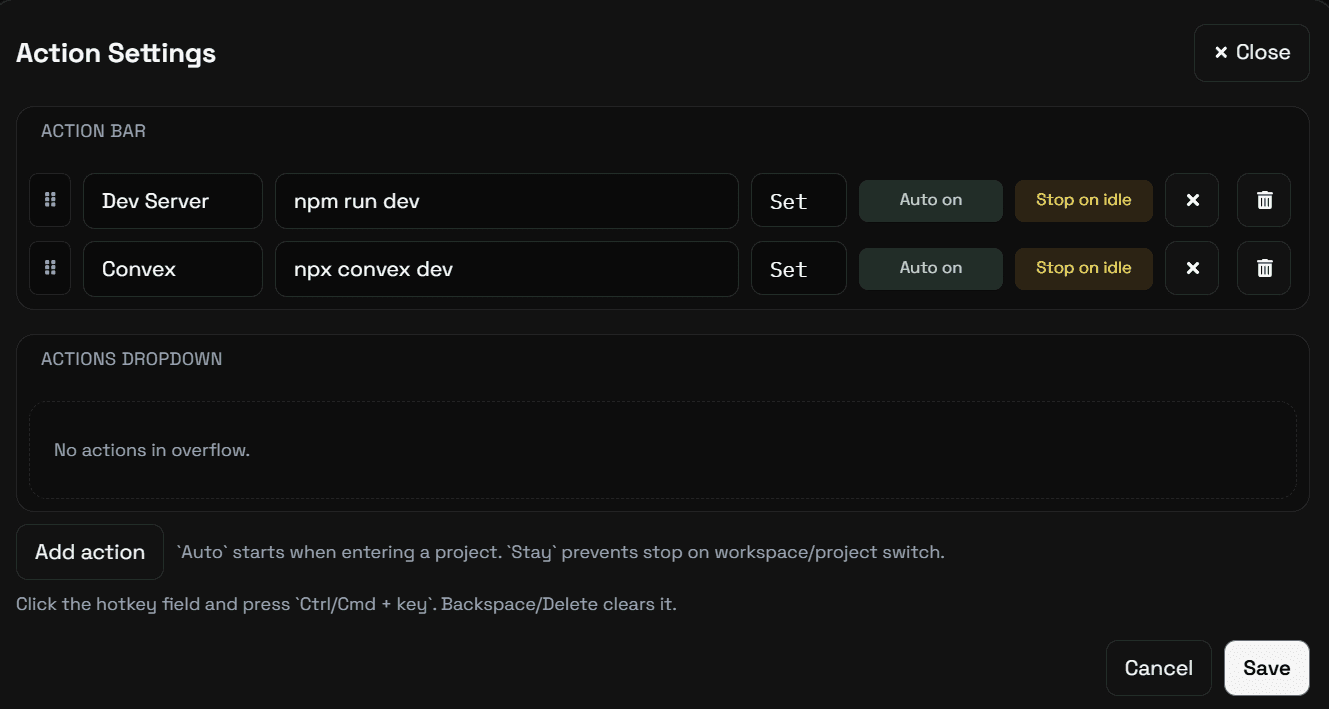
Use preset actions to launch common workflows from ready-made controls instead of manually repeating the same setup every time.
 GameraCode
Multitask With Clarity
GameraCode orchestration means you don't sit idle on one dependency path. When a thread is waiting, you can start subagents on other tasks in the same project or in other projects, then fold their results back as soon as they complete.
Use preset actions to launch common workflows from ready-made controls instead of manually repeating the same setup every time.
Button-driven actions reduce friction for tasks teams reach for often, keeping execution visible and easy to trigger.
The actions surface keeps available operations explicit so users can see what is ready to run before they click.
The actions surface keeps available operations explicit so users can see what is ready to run before they click.
Preset actions help standardize common flows across projects so teams can move faster with less per-run variation.
Preset actions help standardize common flows across projects so teams can move faster with less per-run variation.